
This is a quick guide to show you how to sign in and out of the 3CX Android App.
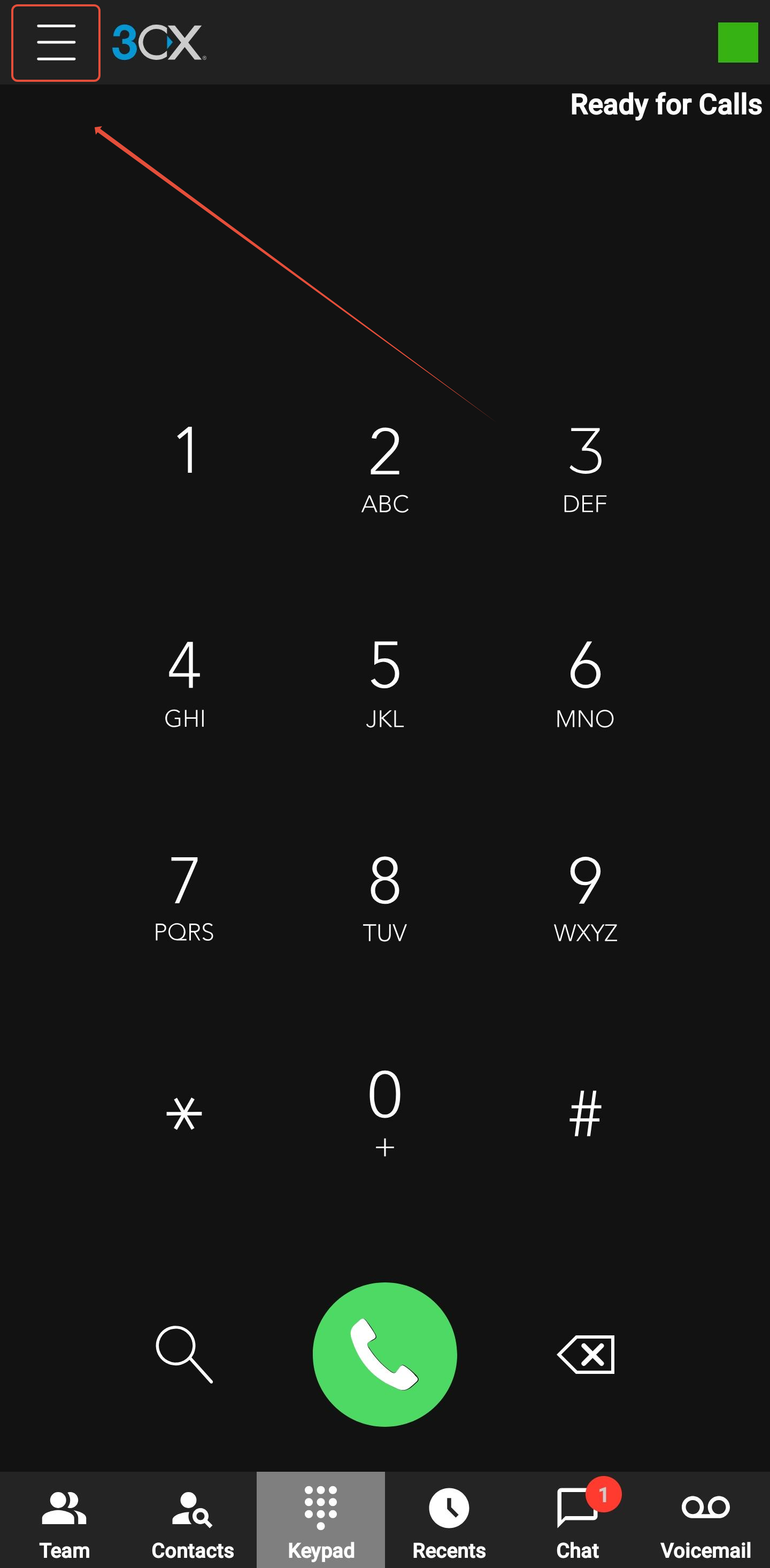
1) Press the three lines to open the menu in the top left hand corner of the screen:
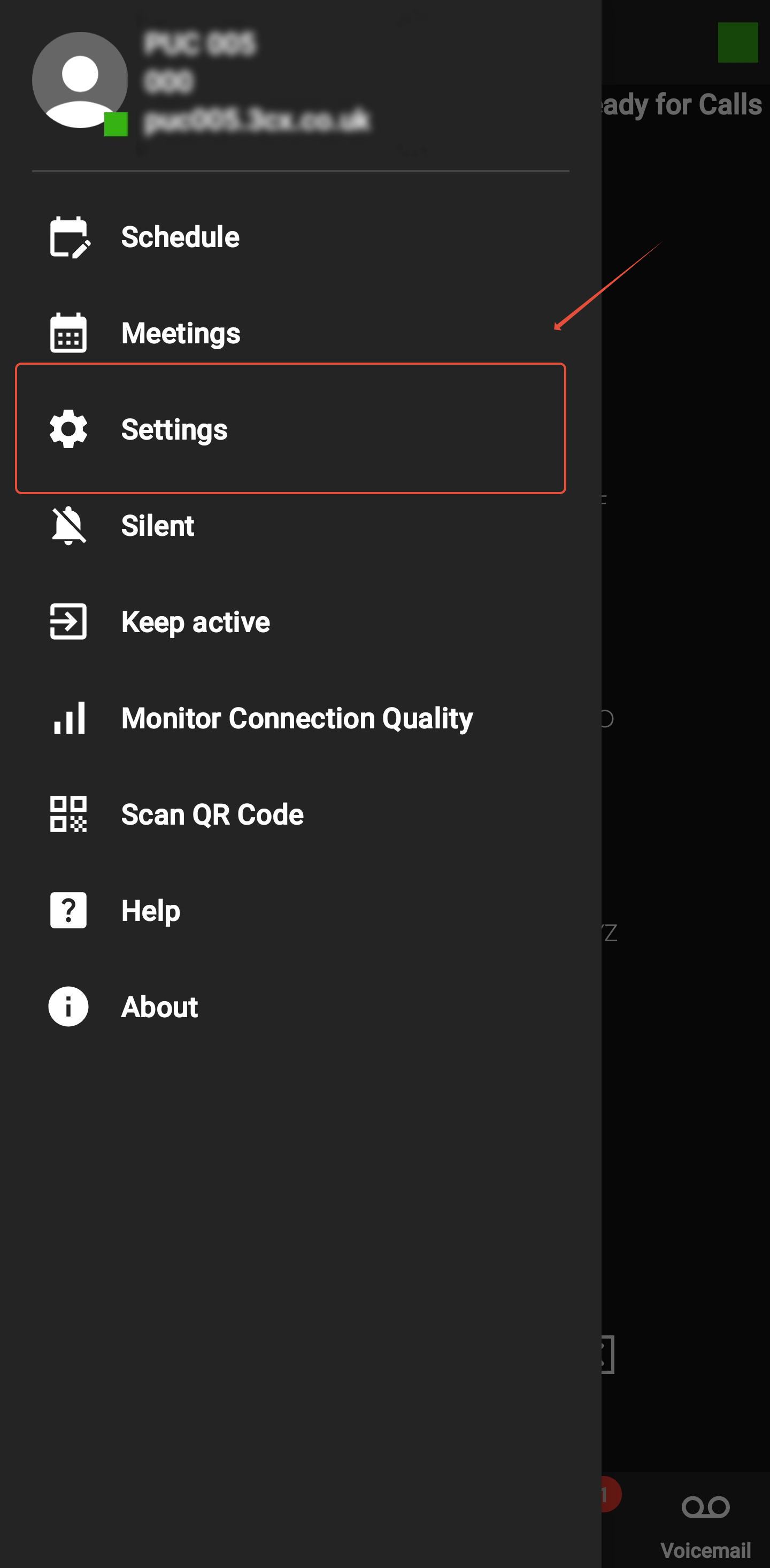
2) Select the option for Settings:
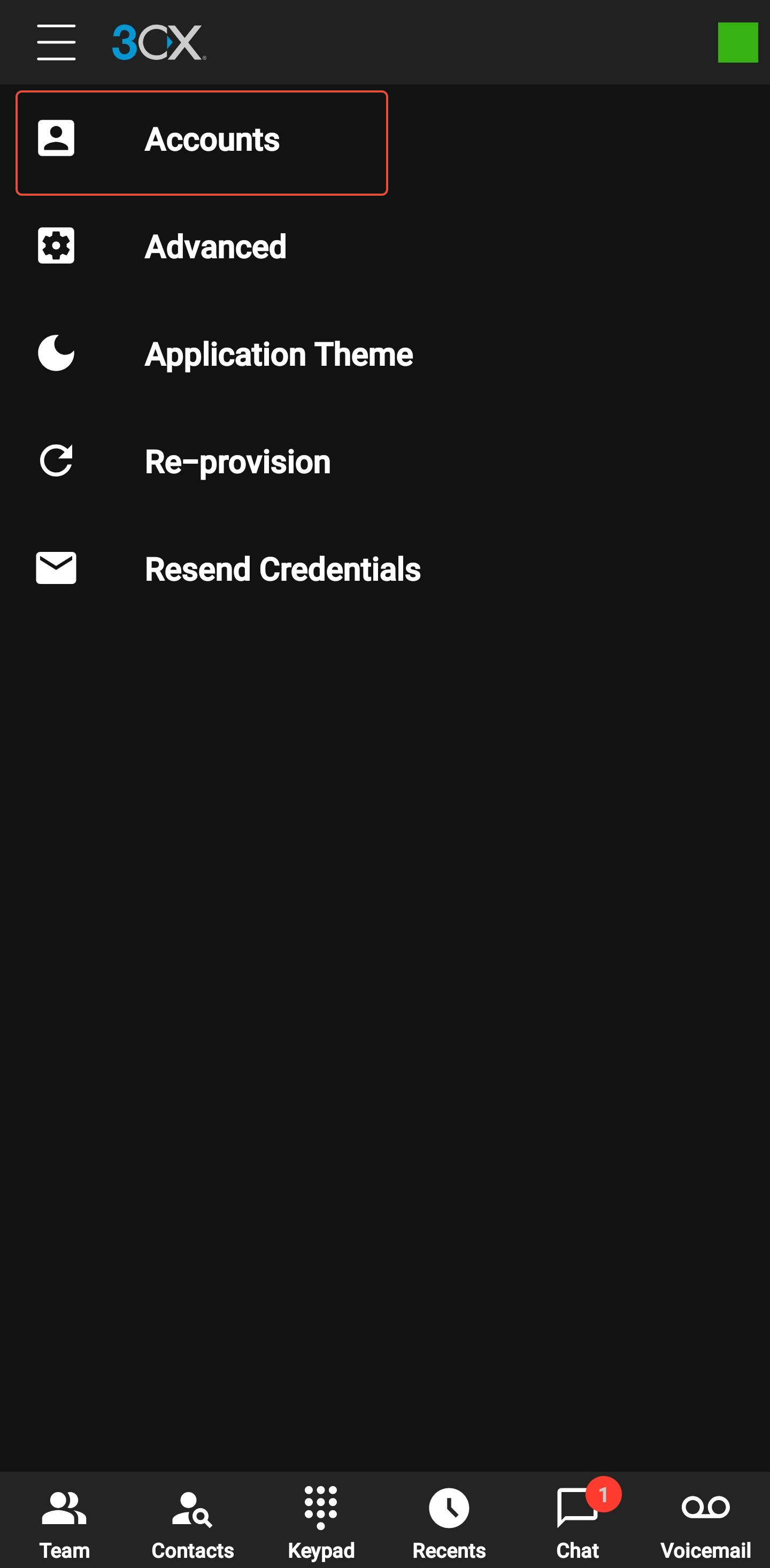
3) Select the option for accounts:
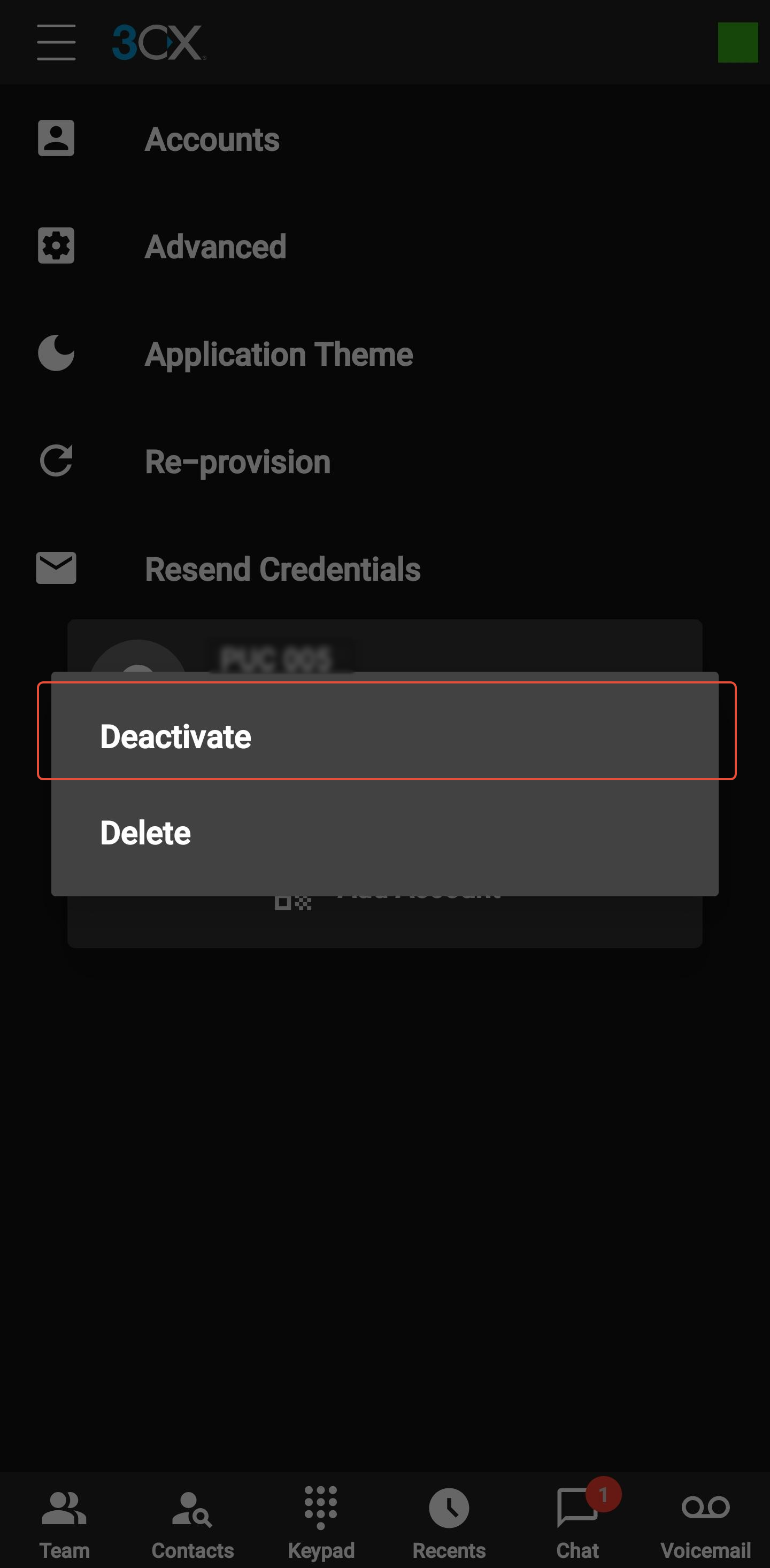
4) Press and hold the account
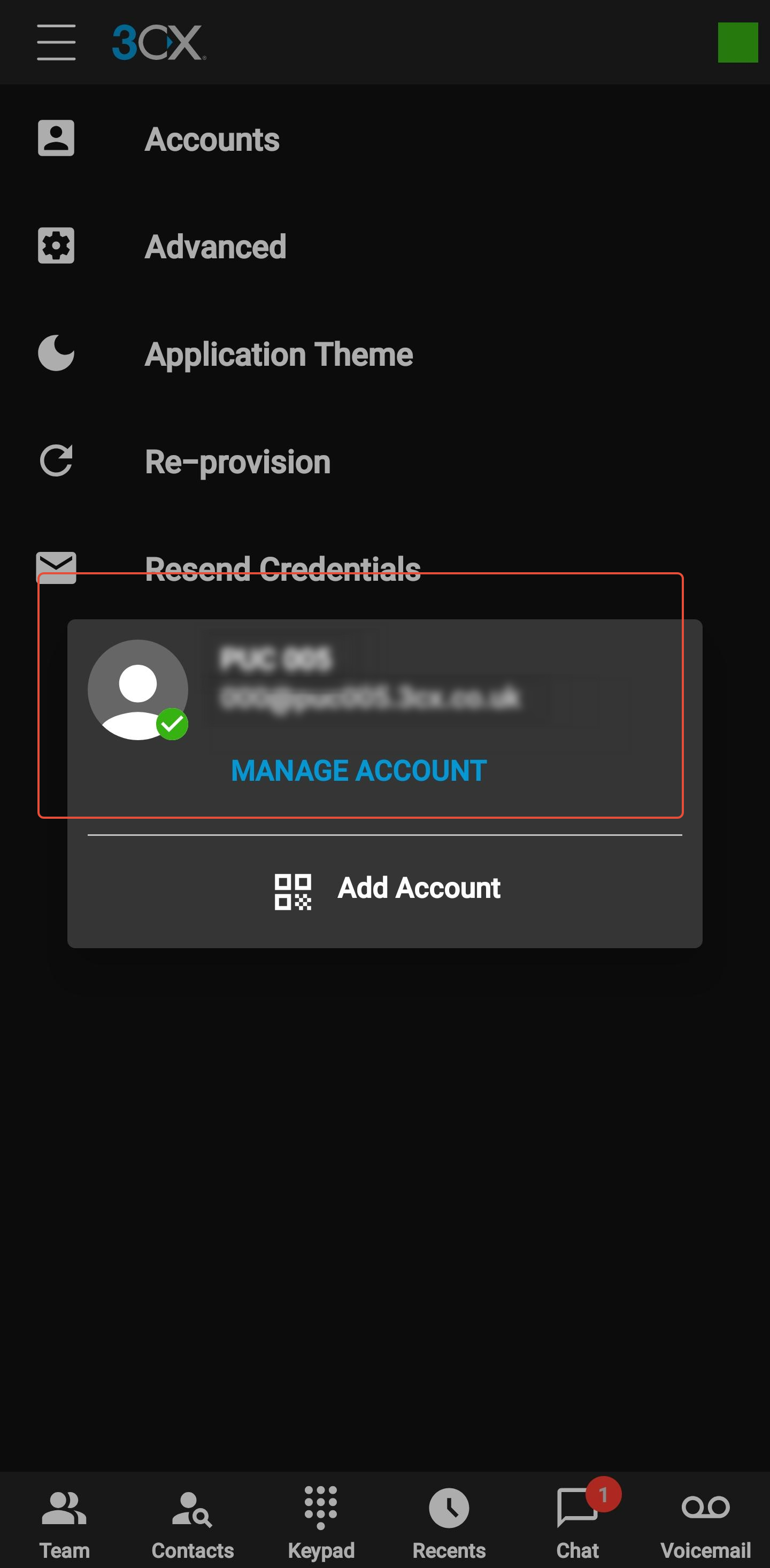
5) Select the option to deactivate:
6) To sign back in, simply click the account again: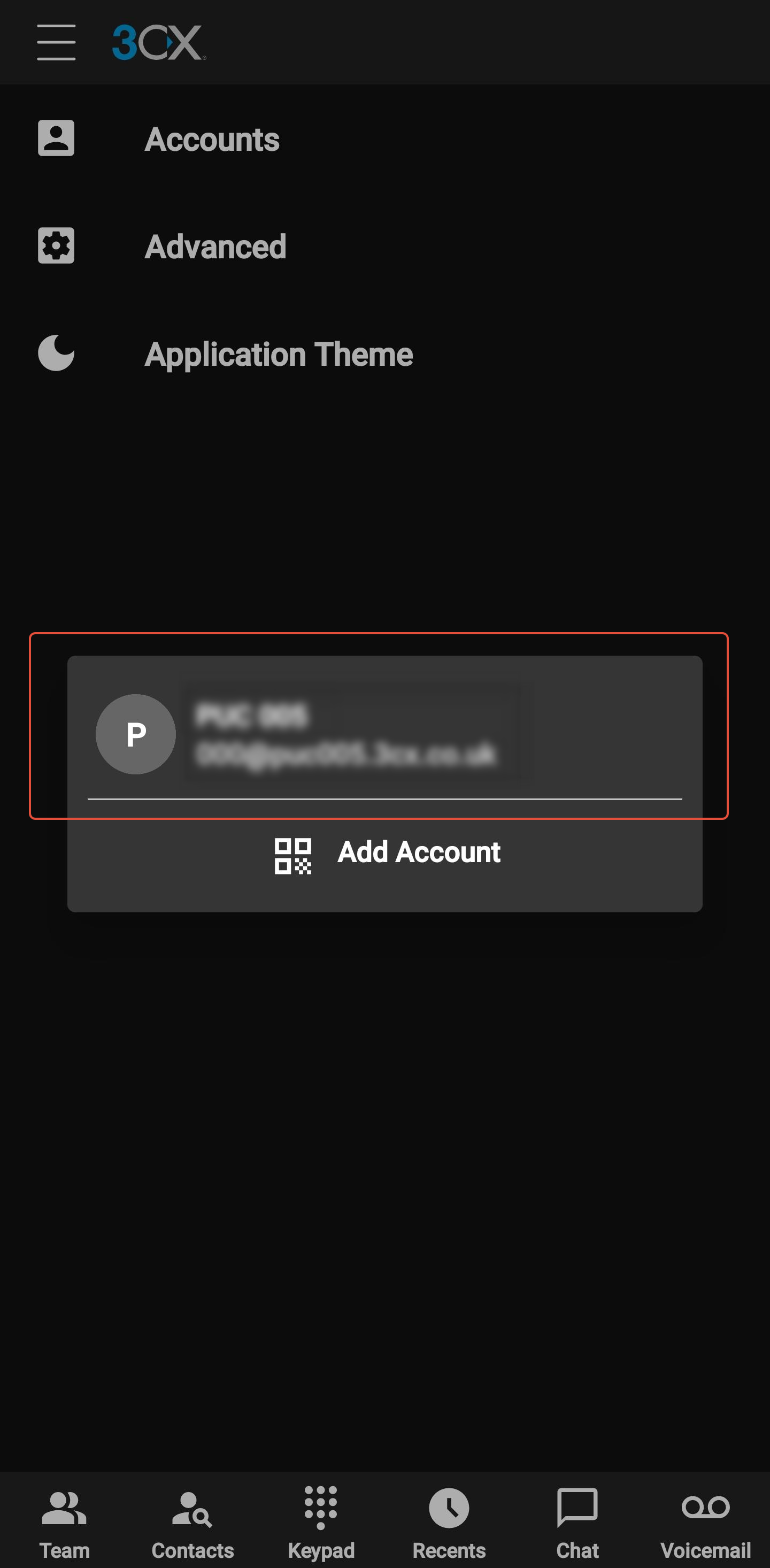
Found a problem with this article? Please let us know.